Find Force Restart Solution for your iPhone 17 Pro
Here is the quickest way to force restart iPhone 17 Pro. This tutorial is designed for users whose iPhone 17 Pro is frozen, stuck on a black screen, not responding to touch, or failing to restart normally. A hard reset can help resolve temporary software bugs, system crashes, and startup problems without affecting your personal data. Follow the simple steps below to reboot your iPhone 17 Pro and get back to normal use.
Soft Reset for Apple iPhone 17 Pro
STEP 1
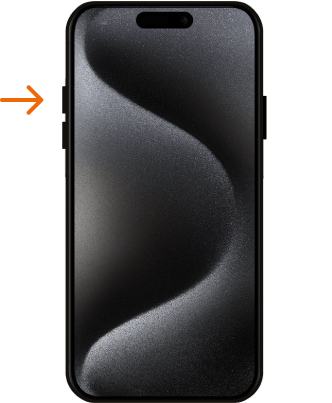
The first step is to press the volume up button with a quick, decisive movement, and then release it immediately.
STEP 2
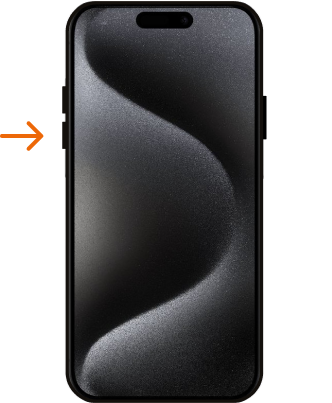
The next step is to press the Volume Down key, and then quickly release the key.
STEP 3
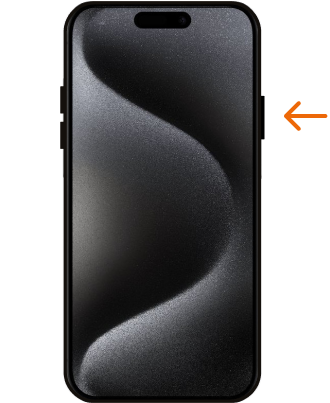
To initiate the iPhone hard reset process, press and hold down the side button for a while. Once you spot the logo, thenrelease the side button promptly.
STEP 4
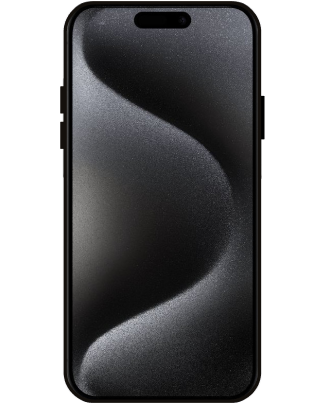
And that’s it, you have correctly performed Factory Reset operation and your iPhone should start the Force Restart task. Well done!
Force Restart video tutorial.
You have successfully learned how to force restart iPhone 17 Pro and handle common problems like a frozen display, app crash, boot issue, or an unresponsive device. This hard reset method is one of the best quick fixes for iPhone 17 Pro when standard restarting does not work. Check our other iPhone 17 Pro tutorials for more troubleshooting methods, hidden settings, and useful iOS guides.