Find Force Restart Solution for your iPhone 16 Plus
Looking for the fastest way to force restart iPhone 16 Plus? In this tutorial, you will learn how to do a hard reset on iPhone 16 Plus using the correct button sequence. This method is helpful when your iPhone 16 Plus is frozen, not responding, stuck on a black screen, or failing to restart normally. Use the guide below to quickly reboot your device and solve temporary iOS glitches without losing any personal data.
Soft Reset for Apple iPhone 16 Plus
STEP 1
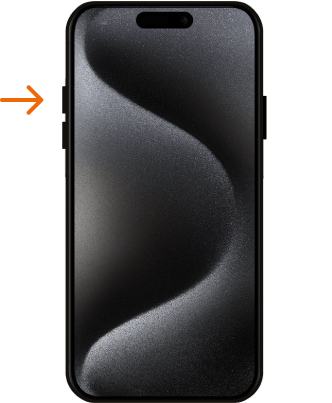
The first step is to press the volume up button with a quick, decisive movement, and then release it immediately.
STEP 2
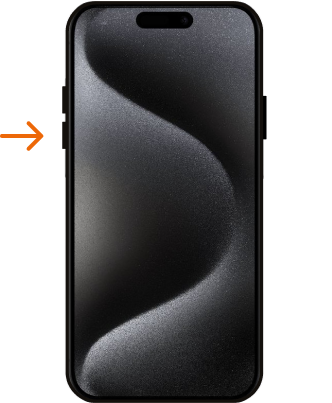
The next step is to press the Volume Down key, and then quickly release the key.
STEP 3
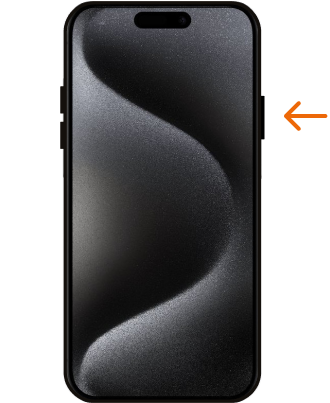
To initiate the iPhone hard reset process, press and hold down the side button for a while. Once you spot the logo, thenrelease the side button promptly.
STEP 4
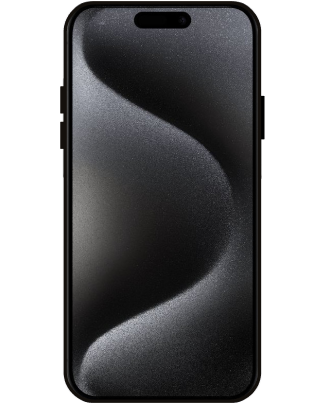
And that’s it, you have correctly performed Factory Reset operation and your iPhone should start the Force Restart task. Well done!
Force Restart video tutorial.
Now you know how to force restart iPhone 16 Plus whenever the phone freezes, becomes unresponsive, or gets stuck on the Apple logo. A force restart is a simple and effective solution for many software-related problems on iPhone 16 Plus, and it does not remove your files or settings. Check out more iPhone 16 Plus guides on troubleshooting, recovery mode, and everyday iOS fixes.