Find Force Restart Solution for your iPhone 16 Pro
If you need to force restart iPhone 16 Pro, this guide will walk you through the exact steps. A hard reset is useful when iPhone 16 Pro is frozen, the touchscreen is not working, apps keep crashing, or the device is stuck during boot. Whether you are dealing with a black screen, system lag, or an unresponsive iPhone 16 Pro, the instructions below will help you safely restart your phone and restore normal performance.
Soft Reset for Apple iPhone 16 Pro
STEP 1
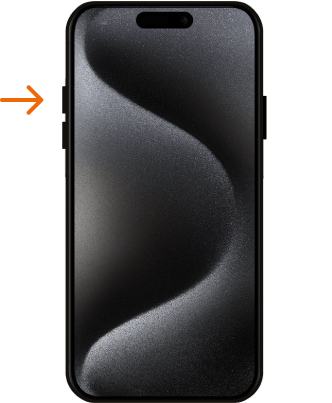
The first step is to press the volume up button with a quick, decisive movement, and then release it immediately.
STEP 2
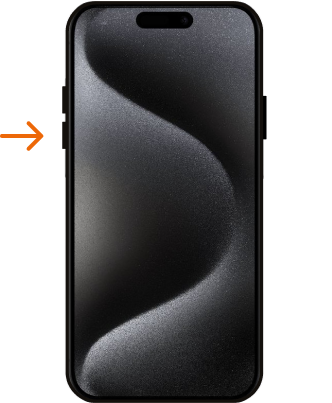
The next step is to press the Volume Down key, and then quickly release the key.
STEP 3
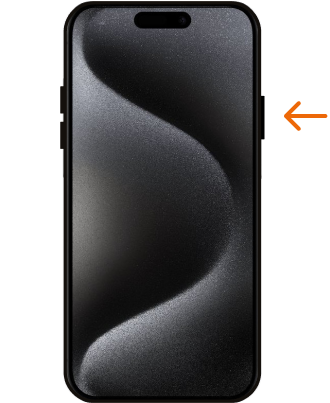
To initiate the iPhone hard reset process, press and hold down the side button for a while. Once you spot the logo, thenrelease the side button promptly.
STEP 4
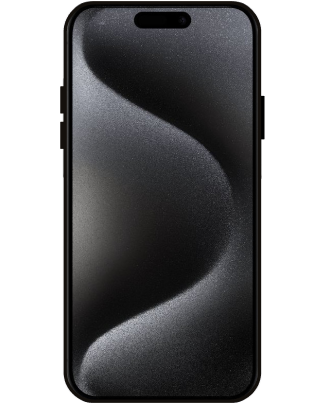
And that’s it, you have correctly performed Factory Reset operation and your iPhone should start the Force Restart task. Well done!
Force Restart video tutorial.
You have just learned how to force restart iPhone 16 Pro and fix some of the most common iOS problems without deleting any data. This hard reset method is ideal when iPhone 16 Pro is not responding, frozen on the Apple logo, or refusing to shut down the standard way. Browse more iPhone 16 Pro tutorials for advanced troubleshooting, setup tips, and software problem solutions.